Language: EN

01 · NETWORK & INFRASTRUCTURE

Network Infrastructure Solutions

Network infrastructure is the physical and active network system that connects the computers, phones, cameras and other devices in a building over wired and wireless links. We install the cabling, racks, switches and Wi-Fi as a single project, and hand over every link tested and documented.

WHAT IT DELIVERS

What it adds to your building

  • 01

    Built for tomorrow, not just today.

    We choose the cable category, rack capacity and spare containment space for the growth expected over the building’s lifetime, not for today’s device count.

  • 02

    Every link measured and recorded.

    At handover, you receive a test report, labeling and floor plan for every outlet. When a fault occurs, you do not have to search for where a cable runs.

  • 03

    Single point of contact.

    Passive cabling, active equipment and Wi-Fi come from the same team. When a problem occurs, there is no “is it the cable or the switch” debate.

  • 04

    Other systems share the same backbone.

    IP cameras, access control, IP phones and building automation run on this network. We build the backbone with their requirements in mind from day one.

SCOPE

What is included?

Components we install in a network infrastructure project:

  • Cat6 and Cat6A structured cabling: outlets, patch panels and containment systems
  • Floor and main distribution racks, cable management and grounding
  • Fiber backbone between floors and buildings
  • Access, distribution and core switches, with PoE to power devices where needed
  • Router and firewall for internet access and links between branches
  • Wi-Fi: access points and centralized management
  • VLAN structure, IP plan and basic network security settings
  • Cabling tests, labeling and as-built documentation
  • Reorganization of existing networks and active equipment configuration

PROCESS

How we build it

  1. Site survey and needs

    We walk the building and map the number of users and devices, rack locations, cable routes and existing infrastructure.

  2. Design

    We prepare the outlet layout, cable category, rack plan and active equipment list and submit them for your approval.

  3. Cabling and installation

    Containment, cable, outlet, patch panel and rack installation, followed by active equipment setup.

  4. Testing and configuration

    We measure every link with a certification tester and commission the switches and Wi-Fi with their VLAN and security settings.

  5. Documentation and handover

    We hand over with test reports, a label list and updated floor plans, and agree the maintenance plan with you.

TECHNICAL NOTES

What we look at in the design

How do you choose the cable category?

Cat6 is enough for 1 Gbit/s and carries 10 Gbit/s only over short distances. Cat6A supports 10 Gbit/s over the full 100-meter channel. In new buildings, we usually recommend Cat6A, given the growing number of high-speed access points and PoE-powered devices. We keep channel length within the limits set by the standards: at most 90 m of fixed cable, 100 m in total.


Testing, labeling and documentation

Installing the cabling is half the job. We measure every link with a certification tester against ISO/IEC 11801 and TIA-568 limits and report the result by outlet number. Outlets, patch panels and racks are marked with the same labeling system, so a faulty link is found within minutes.

Active equipment and segmentation

We split the network into separate VLANs for user, guest, camera, phone and management traffic. A problem or attack in one segment does not spread to the others. By building redundant links at the core layer, we prevent a single cable or device failure from stopping the whole building.

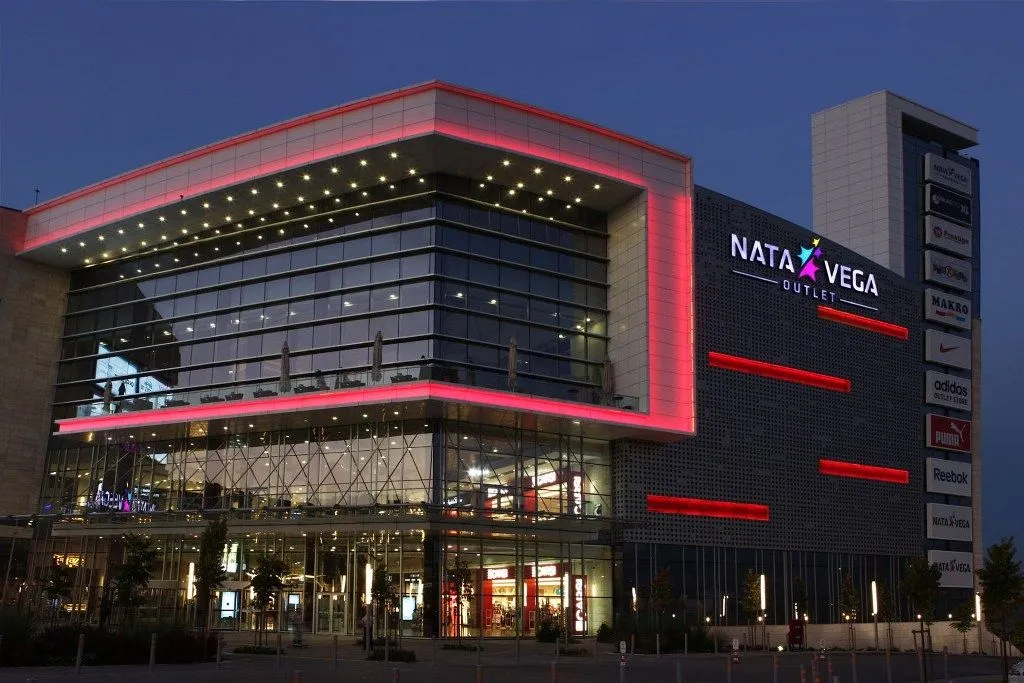
We treat the network as one system: cabling, racks, active equipment and Wi-Fi are designed around one another. At Nata Vega Mall, we installed and reconfigured the active equipment on a 2,500-point network. At Medistanbul Hospital, we commissioned the network and Wi-Fi in the same project as the nurse call, access control and camera systems. Our Ankara-based team works in offices, hospitals, malls and factories across Türkiye.

LAYER

Part of the Network & Infrastructure layer

This service sits on layer 1 of the building and is designed together with the other systems on that layer.

Services on the same layer

BRANDS

Brands we work with

  • Cisco
  • Juniper Networks
  • Huawei
  • Extreme Networks
  • Ubiquiti
  • Planet
  • Netgate
  • Lande
  • Beek

FAQ

Frequently asked questions

What is structured cabling and what does it include?

Structured cabling is a cabling system that organizes all data and voice links in a building in a standard layout. It includes outlets, horizontal cables, patch panels, racks and the backbone between floors. When it is installed correctly, adding a new device is as easy as plugging in a patch cord.

What is the difference between Cat6 and Cat6A?

Cat6A carries 10 Gbit/s over the full 100-meter channel; Cat6 supports that speed only over short distances. Cat6A is thicker and more expensive, and needs more space in containment and racks. We recommend Cat6A for new buildings and for areas where a dense Wi-Fi network is planned.

What determines the cost of a network installation?

The cost depends on the number of outlets, cable category, difficulty of the cable routes, number of racks and the active equipment selected. Working in an occupied building also affects the schedule. That is why we quote after a site survey, together with a bill of materials.

Why is cabling certification testing (Fluke testing) done?

To prove that the cable actually carries the target speed. A link that looks fine can lose speed or drop intermittently because of a poor termination. Certification testing catches these faults before handover, and the report serves as a reference for any later issues.

Can cabling be replaced in an occupied building?

Yes. We split the work by floor or section and work outside business hours where needed. Because we install the new links alongside the old ones and switch over in one step, downtime stays short.

Let’s start with a site survey for a network that can grow for years.